This reminds me of a script I wrote at work. A lot of us do our compiling in VMs. This means we're left out of all of the fun of hearing fans spin up for large jobs. My script fixes that by polling top over SSH every few seconds and modulating the volume of a looping fan sound by the load average.
I think you could make a pretty good product by doing something similar (varying beep, boops and clicks) for database accesses, server reboots, etc. and making an acoustic uptime monitor. Keep it in a pinned tab and you'll notice right away when your web server's RPS goes way down or way up.
I used the same idea when setting up long-range WiFi (couple of KMs) via antenna for a mesh network.
In order to get the best latency/bandwidth, you need to point the antennas with precision at each other, and in order to know if you're pointing it right, you need to run some tool on a display at the same time, like `ping`, and see when it gets lower when you're pointing it right.
So rather than having to look with one eye towards the horizon, and one eye on a screen to see a tiny number (which I found impossible), I made a quick script that outputs a beep each time ping returns output, with the frequency being higher when the latency got lower. So now I could focus solely on the horizon while using my ears to hear if I was getting in the right direction.
Lots of fun, super useful and makes me wonder (just like you) what other tooling we could use more senses with, rather than just our eyes.
It's a good idea. Glider pilots make use of audio variometers which provides a tone to indicate your rate of climb or decent. Basically, it beeps when you go up and it beeps when you go down.
Once you start accelerating up or down, it's sometimes difficult to tell what your rate is which is the reason for the instrument. Whether you are climbing or sinking, not having to look at the instrument is really helpful. This is particularly true in turbulent/rowdy conditions where you're 100% focused in on flying the glider.
Yeah, that makes sense, professionals have a lot more tools in their toolbox, including lasers and what not. The setup we did was amateur at best, via bunch of WiFi consumer gear like what Ubiquiti has/had.
Years ago, a friend and I talked about a similar idea. We called it a log file "audiolizer" (as opposed to visualizer). The idea is was you'd tail log files through it, and it would produce sound based on the log lines. The hope was that you'd learn what things should normally sound like, and if it started to sound "weird", you could investigate.
Have a look at Peep (the Network Auralizer) [1] for an example of such a tool. I had this running about 24 years ago when traffic on the 'net was a bit more manageable but turned it off when I got fed up with the place sounding like a jungle.
In Xcode, you can edit breakpoints such that they emit sounds when they are hit (and continue automatically). Depending on the sound pattern you hear then, you can decide whether something fishy is going on.
In my previous company, as a prank, we setup a well-hidden raspberry pie to play back choking laughter in the office, whenever a coworker made a push to gitlab...
I used this back in 1994. I wrote a script that analyzed logs and beeped in some cases. It was a background noise you would get used to and then -suddenly- something was off and you knew you had to look at the logs.
This was inspired by a yet even older discussion with someone who was listening to the dot matrix printer printing his logs.
In nuclear plants the "alarm" is a constant "tick-tock" noise played through the PA which stops if there's a problem. You tune the noise out very quickly and by ghods you notice when it stops!
This reminds me of an incredible moment in my career. Circa 2010 or 2011 I was working at a small agency in LA where we could more or less all fit in one big office. My boss (the owner) and a UX contractor were whiteboarding some flows for a new project under tight deadline. It was the classic scene, scribbles all over the place, post-it note's everywhere, coffee-stained printouts stuck to the whiteboard with little magnets, etc.
Eventually the commotion of their whiteboarding session became very quiet and they returned to their computers to hunker down. Our UX contractor was twiddling some magnets in his hands, clicking them together and unclicking them, while starting at his screen and chewing through the design problem.
A few moments later, a pretty loud scratching noise started. Peter, the UX guy, started to start up at the white drop-panel ceiling with a concerned look, "I think there might be a rodent in the ceiling"
I knew this sound almost right away, and could also tell it was coming from directly in front of him, not the ceiling. PETER! GET THE MAGNETS OFF YOUR LAPTOP!
He had inadvertently stuck them to the palm rest, directly above the spinning rust drive that was still standard for this time period. The machine quickly became unstable and then stopped booting. Poor guy was in the Apple store for the rest of the day.
Hilarious in hindsight, but a lot of work was lost that day. I still remember seeing poor Pete staring up quizzically at the ceiling while the entire contents of his HDD got vaporized.
That "deep bass resonance" really depends on what kind of HDD you're talking about. Is it a modern 2.5" laptop drive, one of those even tinier 1.8" drives, a full-height 5.25" MFM drive, or one of the old 8" drives from the 80s or earlier?
It's a piezo speaker without a case around it, so yeah it will sound harsh. I guess you mean the sound missing is kind of like that hollow resonance from the casing that you get in a 3,5" drive; a bit like the thock from typing on a recent MacBook Pro keyboard?
The underlying reason why hard disk sounds are appealing is the same reason why progress bars are appealing. They provide feedback that this mysterious box is doing something.
I recently started getting some slight audio interference when there's activity on my network card. It's like a sixth sense into the packets flowing over the wire. I can hear how a video stream buffers, or how network-heavy a loading web page is.
I used to get some significant interference from my mp3-player/headphones when my cellphone was about to go off. "2G" (not sure they called it that at the time) interference actually had a pretty good tune to it. da-Da-da da-Da-da da-Da-da daaaaaa.
My zen3 desktop build reused a decade old PSU, and inductors would whine when scrolling in a web browser and stuff. Then I got a 6800xt GPU, and the PSU died the morning after overclocking and stress testing the GPU. The new PSU seems quieter.
A good way to detect a network loop is to stand a bit further from the rack and see if any lights on the switches are blinking in sync. Much quicker to see this pattern than "show interface stats" on telnet and check the numbers.
Those sounds irritated me to no end when the disk was thrashing because it meant that the computer was about to or had just became unresponsive.
It also indicated insufficient caching. "Why is the disk spinning endlessly? I just clicked the open dialog! Did the OS suddenly forget about the 10 files that I have in my home folder?"
People get frustrated with progress bars too but that's kind of orthogonal to what I am saying. HDD thrashing around is not the problem with the feedback mechanism (that's working just fine), but the underlying equipment has failed. Progress bars are notoriously annoying when they just don't move! Don't hate the progress bar, blame the equipment. I know there are some fake progress bars out there...just shows that giving feedback is so important that people fake it even!
The fake progress bar is still filling a function. It shows the computer didn't completely freeze up. There was a time when that was a big question. Did my computer freeze up and I need to press the power button? The mouse cursor might be hidden on the loading screen so you have no idea if it's working or crashed.
I tried a windows ext2 filesystem driver once. It killed the drive after a few days, presumably from wildly moving the read head without any intelligent sequential movement scheduling.
At some point there was a Mac OS (classic Mac OS in the 90s) that displayed a hard disk activity icon to the left of the Apple menu icon. I’ve looked for the name of the utility or setting off and in for years and have been unable to find any mention of it. I seem to recall seeing it on many unrelated Macs, which made me think it was a system setting, but having gone back through several system versions I’ve never been able to find it.
Not quite the same as what TFM has made (which is awesome), but hearing the crunch of a hard drive and seeing that LED flash or the activity indicator blink are so pleasantly nostalgic.
iStat Menus offer this for modern macOS. The disk activity is not that relevant for me, but networking is useful. When I'm waiting for something and there is no network activity I know something's fishy.
Yeah, I remember the slight sadness I felt when I discovered that the "cool computer sound" was actually just from the hard-drive, and not radiating from the magic going on in the cyberspace inside the circuits ^_^
But you could hear the sound of the magic going on in the cyberspace inside the circuits when you dialed into your provider with the modem speaker activated!
If you go back to before people had hard drives in their home computers, they did in fact produce quiet, high-pitched sounds depending on what the CPU was doing.
You could tell when the CPU was busy and to some extent, what it was working on.
What I want is an FDD sound simulator for various historically significant computer models. The Tandy 1000 is burned in my memory, and I'd love to hear it again without having to visit a classic computer flea. Extra points if you can simulate disk read errors on the eleventh diskette of a failed install
I have this exactly for my Apple //e SD card reader. Reading from an SD card makes no noise, so there’s an option to make it. It’s called the Noisy Disk Mechanical Sounder for the Floppy Emu.
The TRS-80 Model 12 and 16 had 8" Tandon thinline drives that did some sick bass drops, especially on power-on/system boot. If anyone makes an emulator that replicates those golden sounds, they will have my utmost respect.
The TRS-80 Model II, from which those machines were derived, had a single thicc Shugart drive that was even noisier. The solenoid that engaged the heads made a loud "thunk" when activated (and changed the size of the screen, its magnet was so powerful!).
I once had a system that was not performing well or predictably. One day I kept hearing drive activity for a long stretch of time that had no right to be happening and it was really spiking my blood pressure. Turns out it was the normal bubbling noise of an open can of soda.
I remember how noise the HD of my first pc was. I liked that. The best thing: updating a file and creating a directory sounded different. I could tell by ear what a program was doing.
This is fun but I think it is missing the head movements. This only makes a click noise when there is an hard disk read which is not always the case for hard disks. Head movement creates different noises.
I feel like the bearing noise in pre-fluid-dynamic-bearing drives was an essential part of the experience, that this device doesn't recreate yet. A room full of warbly, sometimes harmonizing, gentle whirring of mid-90s Quantum drives had a certain vibe. Of course then, when an individual drive got too loud or too warbly it was a pretty good pre-emptive failure sign.
yeah, and large arrays of disks spinning just gave this awe-inspiring choir, it felt like massive computation was going on.. even though the silly block of iron basically did nothing :D
This is fantastic. I build retro PCs and I'm converting one from a 5200 RPM disk to an SSD next week when my adapter arrives. One of the things I'll miss for sure is hearing the disk spin up and access while I work.
For some, the sound and feel of real hardware is definitely part of enjoying the hobby. I still use real floppy disks instead of a Gotek for this reason, despite their flaws.
My work laptop is currently a dell that makes little clicking noises when it access flash. At first I wondered if it actually had a hard drive or something wrong with it, but when I did a bit of googling, I guess some flash chips make noise.
I can't imagine us not pushing electronics to the limit: if we can get a particular level with passive cooling, you can eke out more performance with more power and active cooling. Surely we can move more towards water/liquid cooling, but there's sounds there as well.
And when you are not after performance, you'll be after small size.
I disagree. Low power is currently the lead design principle in modern hardware, anywhere from consumer hardware to enterprise data centers. The least common denominator of a powerful personal computer - the modern gaming console (Xbox Series X or PS5) is already silent and you can't hear the fan. I can't imagine them going fanless in the next couple generations, but who knows what'll happen after that.
We can agree/disagree all we want, I wouldn't bet any money on either "prediction" :)
I can certainly expect "consumer" devices to move towards more of a silent profile, but workstations will still keep aiming for as much performance as possible.
Even today, witness MacBook Air vs Pro lines: Air arguably gets enough performance from very similar hardware, but... you get the point. And in your example of consoles, sure, but also take into account that 8k screens are also around the corner.
Edit: even the two stages of development today involve reducing power in one phase, then pushing that model to the max through pushing the power envelope (eg. Nvidia RTX 3000 -> 4000, AMD Ryzen 5000 -> 7000...).
That'd be hilarious! I'd love to find one of these after being shocked to discover my SSD system started sounding like a hard drive. Especially if it was appropriately sync'd to actual reads and writes on the SSD.
If you sneak "eject" into a shell script somewhere then, permissions allowing, it will suddenly open the users optical drive if they have one. This works extra well with laptop drives that are spring loaded.
Is that possible to make it by software without performance degradation? I'd like to install some Linux daemon that simulates an HDD sound to feel nostalgia. :-)
If we combine this with that script someone cooked up a while that beeps whenever your browser sends data to Google, and I think we're on to something.


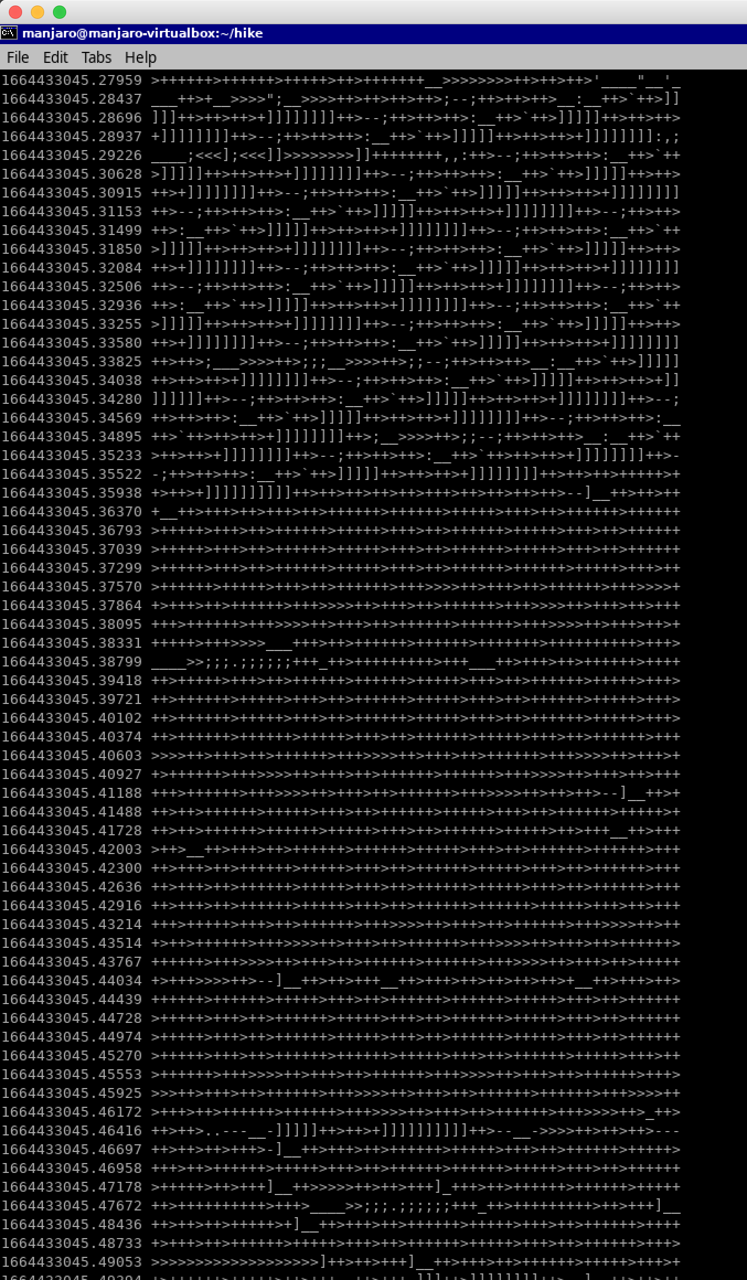
I think you could make a pretty good product by doing something similar (varying beep, boops and clicks) for database accesses, server reboots, etc. and making an acoustic uptime monitor. Keep it in a pinned tab and you'll notice right away when your web server's RPS goes way down or way up.